I thought this was a year away. It is already here.
I got an invite code to try Manus Cue, the new personal agents app from Manus. I tested it last night, and I am still taking in what I saw. It is not another chatbot you ask questions. It is a team of AI agents with their own phone number, their own email, their own wallet and their own computer, and they keep working after you log off.
Manus Cue launched on September 28, 2026, together with Manus 2.0. It is in early access, and you start for free with an invite code. It runs on the web, on desktop and on mobile, although the iPhone version is still waiting for App Store approval. I can confirm it: it did not work on my iPhone, so I installed Cue on my Android phone. And let me be clear about what it is not: it is not magic, and it does not replace your judgment. It is a tool that gets things done, and you still make the decisions.
Every agent has its own identity
This is the big difference. Until now, an AI assistant helped you from your own account: it drafted the email and you sent it. In Cue, each agent has its own:
- Phone: it makes calls, takes the ones you forward to it and sends messages from its own number (the number is optional and paid).
- Email: it sends and receives email from its own address.
- Wallet: it pays, within the budget and permissions you set.
- Computer: it works in its own space in the cloud, with the apps and tools it needs.
You decide which tools and permissions each one gets. You can have one agent for work, another for email and another for daily life, each with its own name and its own colorful little face (yes, they are adorable).

Image: Manus (cue.im)
I named mine Luna, after my Toy Poodle in real life. The four-legged Luna does not answer the phone; the digital one does. They gave me a free trial, but I subscribed to the optional $9.99 plan so Luna could have her own phone number. Yes, my personal assistant has her own number, and it still amazes me to write that. I also connected my Link account (Stripe’s payment system) so Luna can make purchases for me, always within the permissions I give her. Manus added phone numbers a few hours after launch, and for now they are available only in some countries.
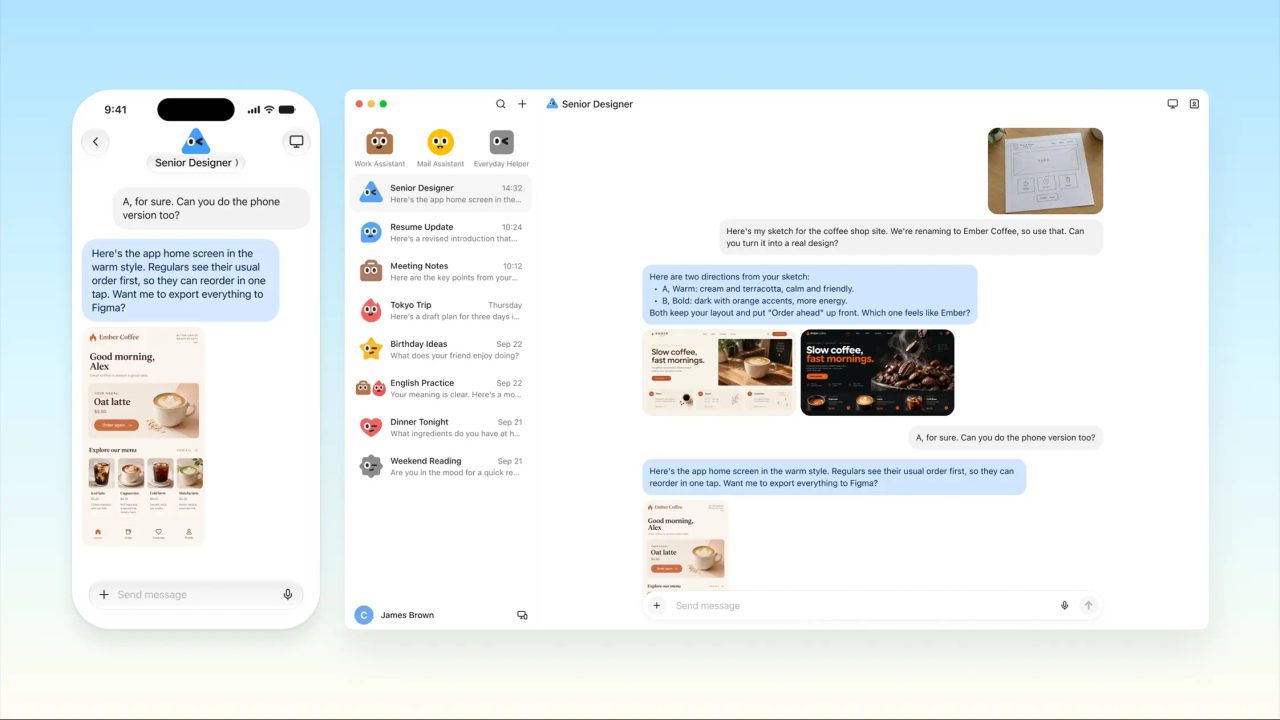
Image: Manus (cue.im)
My real test: one night with Luna
This is where Cue won me over. I am selling an exercise machine, and last night I listed it on Facebook Marketplace. The phone number I put in the listing was not mine: it was Luna’s.
Luna took the calls and screened them for me. At the end of the night she gave me the list of people who called, and I decided who to sell it to. I did not answer a single call, and my personal number never ended up posted online.
It sounds like a small thing, but for me it changes everything. I have things I have wanted to sell for a while and have not, because I did not want to deal with pushy buyers calling. Now Luna does the screening, and I only get what matters: who called and what they want. The decision is still mine.
Later, at 11:10 p.m., I asked her for something else: find me a pizza place that was open and could deliver two pepperoni pizzas for under $25. Luna came back with a clear answer: it could not be done for that price; the minimum was $37, counting an 18% tip. I did not order (maybe today I will), but I liked that she told me the truth with numbers instead of forcing an option that did not exist.
What Manus Cue can do
And that was just one night. Manus published other examples, and they are not office tasks either: this is everyday life.
- Answer your calls while you fly. It finds out who called and why, and when you land it tells you about the airline and the hotel first, then the rest by urgency.
- Watch for an opening and book it. Every day it checks for an earlier driving test slot, a dermatologist appointment or a campsite that was full, and books it the moment one opens up.
- Help in a middle-of-the-night emergency. Your kid has a 102 °F fever: it finds urgent care clinics that are open right now and take your insurance, sorted by driving distance.
- Handle things by email. It writes to several hotels to ask which one can guarantee three connecting rooms, and brings you their answers.
- Sort out the house. You send it a photo of the error code on your water heater: it tells you what it means, whether you can fix it yourself and, if not, finds someone who can come tomorrow.
And what it does not do without you: in the examples, before paying, the agent shows you the times, prices and change and cancellation policies, and waits for your confirmation. It only pays within the budget you set. You set the direction and make the final call.
Agents that work as a team
Cue has group chats where several agents work together. In the Manus example, you ask them to “plan a relaxed three-day trip to Kyoto”: the itinerary agent builds the plan, the packing agent makes the list of what to bring and the booking agent organizes the tickets. They hand work to each other (they mention each other with @, like in any group chat) and you just review.
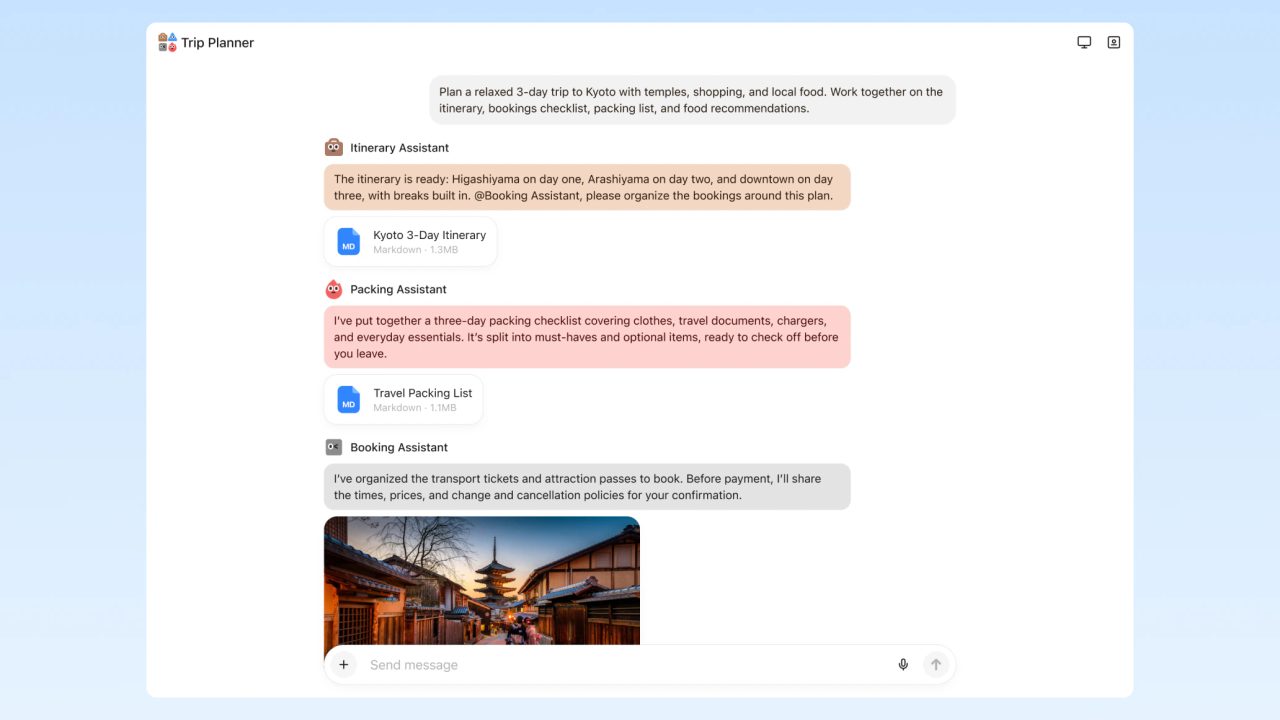
Image: Manus (cue.im)
Scan a QR code and you are set
Another idea I loved: at a restaurant you scan its QR code and an agent is created that can order for you, book a table or hold your place in line. No new app to download, no new form to fill out.
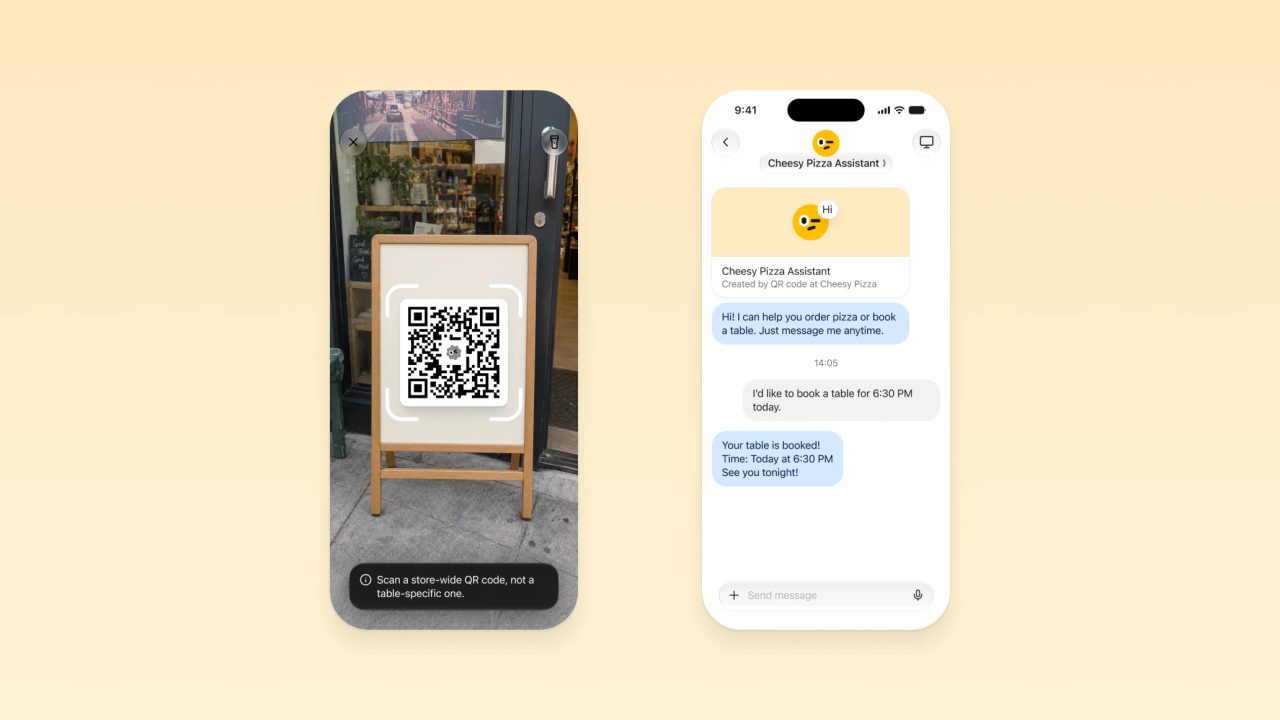
Image: Manus (cue.im)
It also connects to services you already use, like Gmail, Trip.com, Oura or MyFitnessPal, to run routines: your inbox highlights, flight searches or your health habits.
Why Manus Cue left me speechless
It is not one feature in particular. It is the pace. Not long ago I explained here what an AI agent is, and we were talking about agents that look things up and prepare a report for you. Today that same agent has a phone number, an email and a card, and it gets you the doctor’s appointment. What I thought we would see next year is already on my screen.
AI is moving in giant leaps. And as I always say, it does not make you smarter: it makes you more efficient. What changes now is how much of your daily life you can hand off.
How to get started without the hassle
- Get an invite. Cue is in early access, and you start for free with a code. In its announcement, Manus published the code MEETCUE, with limited spots, first come, first served (it may already be used up), and everyone who gets in receives codes to invite others. Giving your agent its own phone number is an optional subscription (I pay $9.99).
- Install it where it works. If you have an iPhone, use the web, your computer or an Android phone while the iPhone app goes through App Store review. I had to switch to Android.
- Create a single agent for one small task. For example, have it tell you when a flight price drops or summarize your morning email.
- Give it clear limits. Which tools it can use, how much it can spend and what needs your approval.
- Review what it did. For the first few weeks, read every summary and every email it sent. That is how you learn where to trust it and where not to.
If you want to understand how Manus works compared with a conversational assistant, read my comparison Claude Copilot vs Manus.
Your judgment is still in charge
Giving an agent a phone, an email and a card means giving it a lot of trust. So:
- Start with small budgets and ask for confirmation before every payment.
- Always review what the agent sends in your name, especially when it involves money, health or clients.
- Do not share confidential information (yours, your work’s or other people’s) in tools you have not evaluated carefully. And if you want to use it for work, ask first whether your company allows it.
- Be transparent: if an agent takes calls or writes emails for you, the other person should know they are talking to an assistant.
- With health, money or legal matters, the agent searches and organizes; the decision is yours or your professional’s. Always verify.
Start with a single goal
You do not have to hand your whole life to an agent tomorrow. Start with one goal: that task that eats your time every week, like chasing an appointment or comparing prices. I build things with AI every day, and Luna still surprised me. I will keep testing her and let you know here what works and what does not. In the meantime, imagine what you will discover when you hand off your first task.
Want these tools compared in depth? Check the unbiased reviews.